Black Olive Studio / DayTimer
DayTimer
A minimal day-planning timer for iPhone and Android.
Your day is a sequence of timed blocks. You can rearrange, adjust, insert, or jump ahead — but you can never pause. Time marches forward, and the plan bends to meet it.
Free to use. One optional Supporter unlock — no subscription, no ads.
A look at it
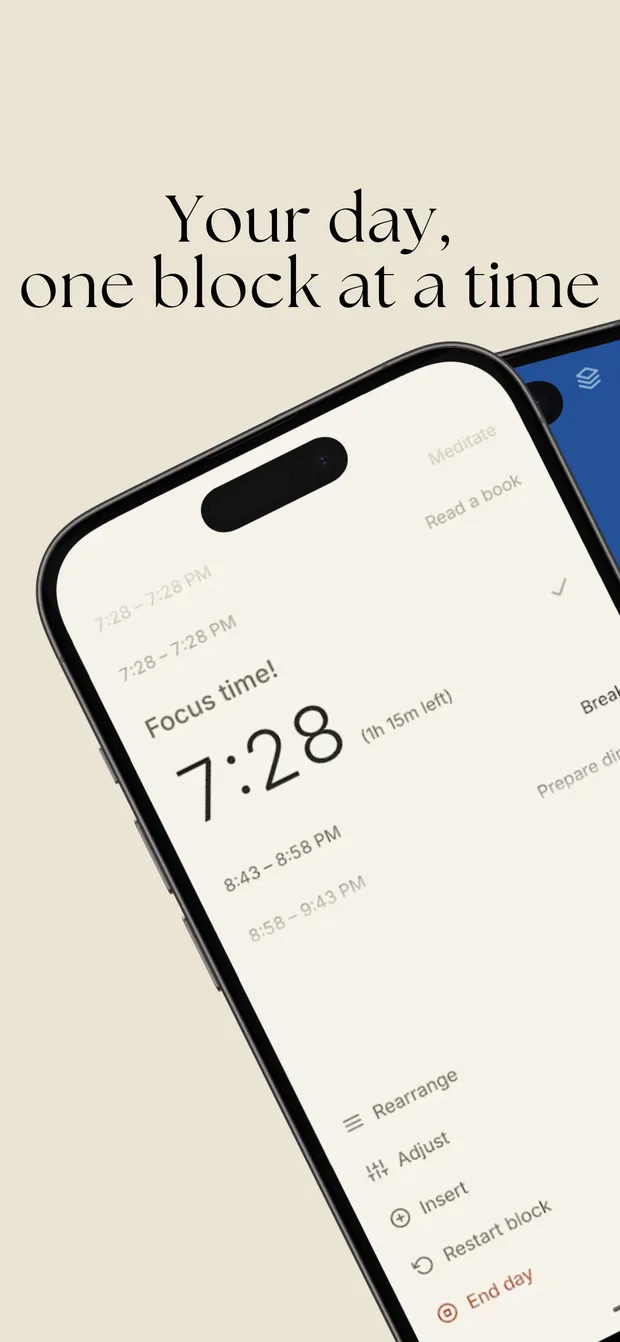
The running block sits in the middle, large. Two behind and two ahead fade out around it — never a wall of tasks. 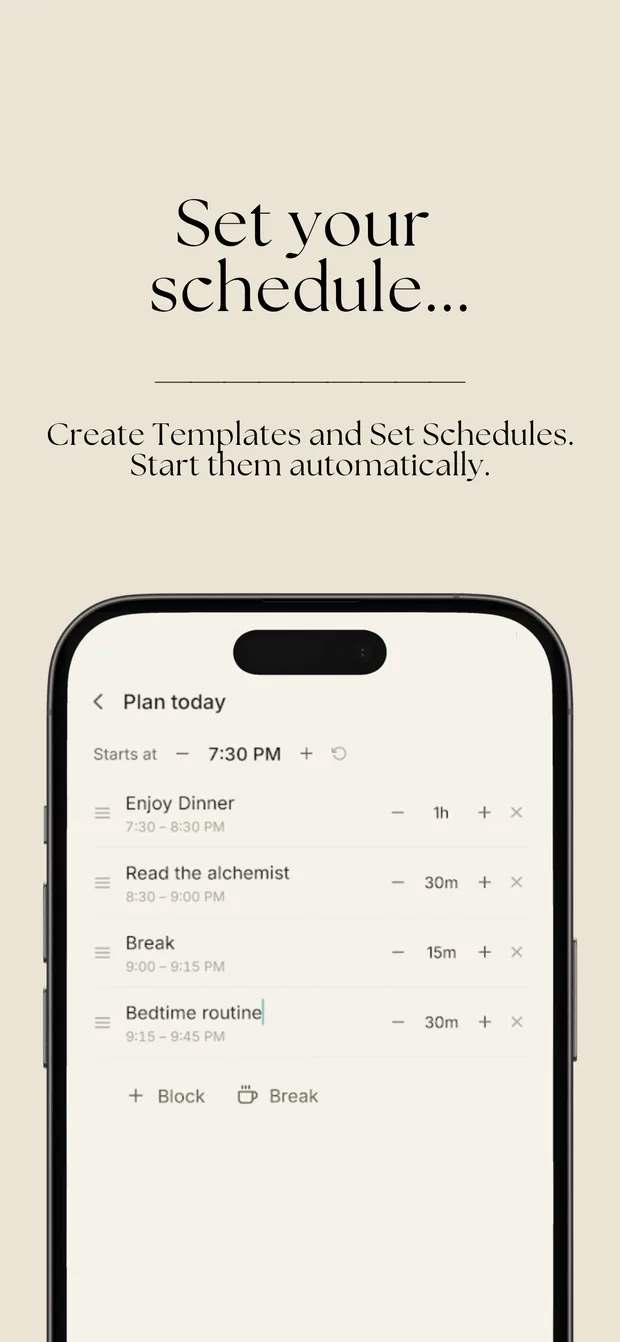
Build a day from blocks and breaks, set when it starts, and save it as a template to reuse. 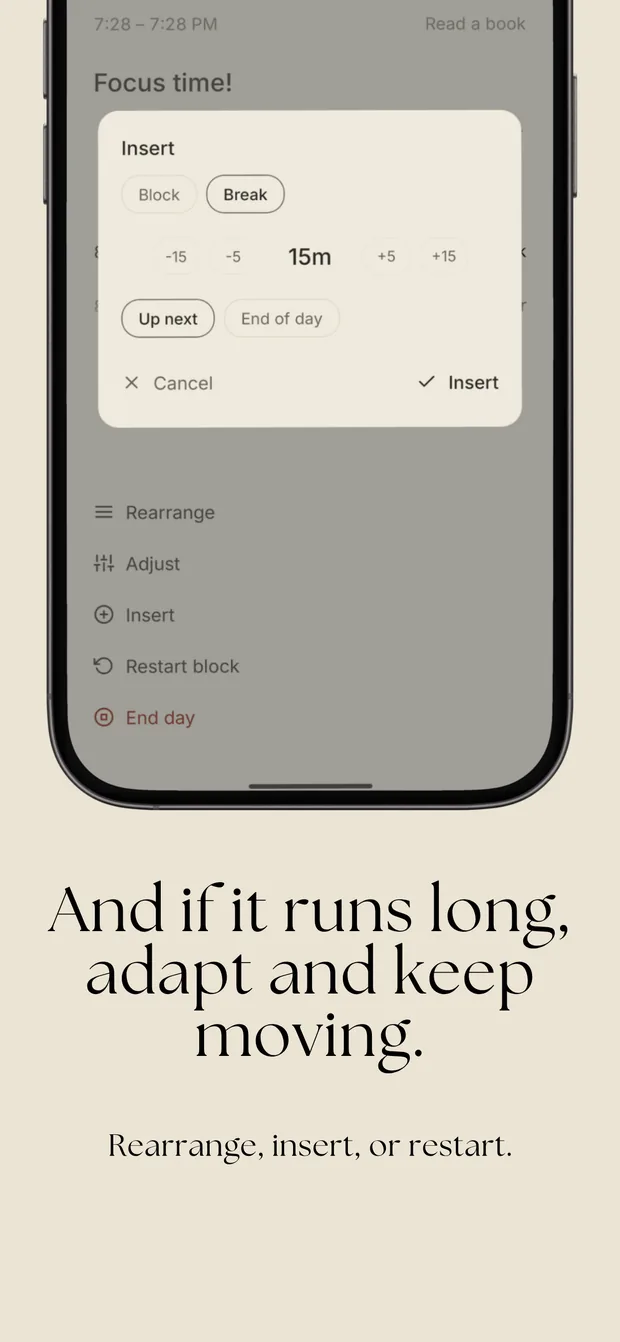
When something comes up, insert it — up next, at the end of the day, or right now. 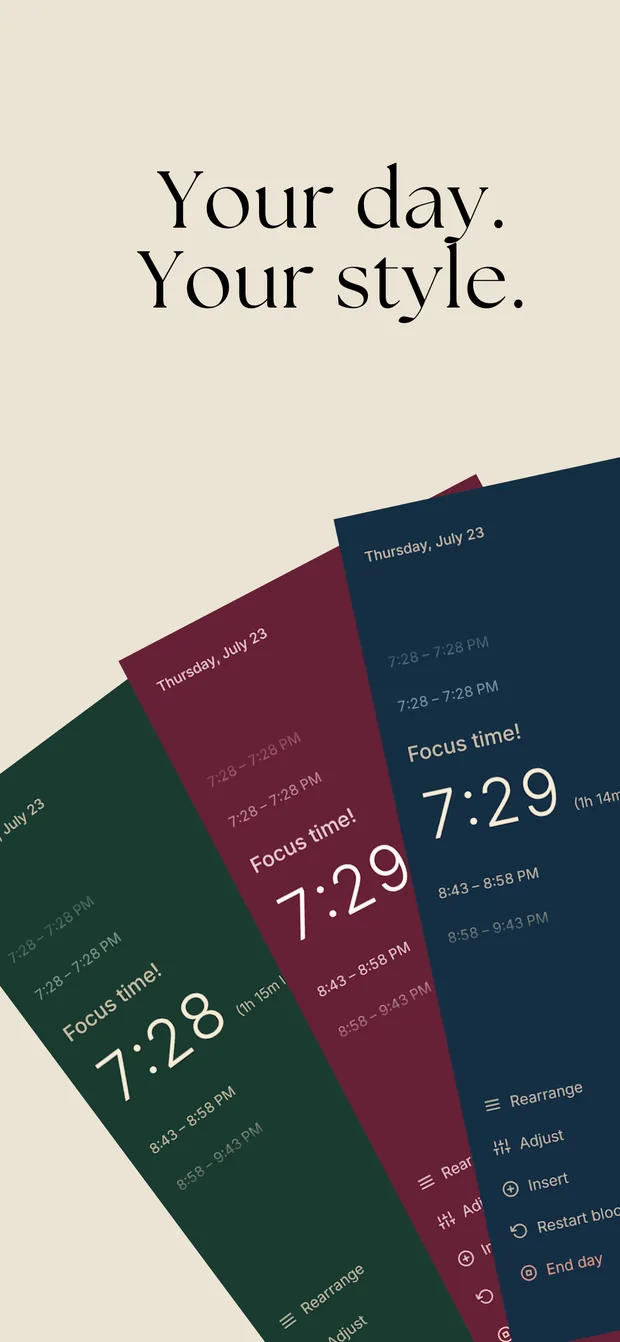
Classic is free. Navy, Emerald, Wine, and a custom colorway come with the Supporter unlock.
How a day works
1. Plan it
Add blocks — a title and a length — and drop breaks between them. Pick when the day starts and DayTimer lays the whole thing out on the clock. Save any plan as a template, or set it as a Scheduled day so your usual Tuesday is ready without being rebuilt.
2. Run it
The timer screen shows one thing clearly: what you are doing now, and how much of it is left. Everything else is deliberately quiet. You choose whether DayTimer rolls into the next block automatically when its time runs out, or waits for you to confirm you have finished.
3. Adapt it
Days do not go to plan, so the plan moves instead of the clock. Hold and drag an upcoming block to reorder it, or drop it on the running slot to start it right now. Stretch or shrink a block. Jump ahead. Restart the block you are in, or pick the day back up from one you missed two hours ago. Every edit re-anchors what comes after it and leaves what already happened untouched, so your history stays truthful.
What is in it
Blocks and breaks
A day is a list of timed segments. Breaks only need a length.
Interrupt without pausing
“Something came up” splits the running block: the interruption spends the minutes it really spends, and the remainder is re-planned right behind it.
Templates
Save a plan once and start it again any morning. Five for free, unlimited for supporters.
Scheduled days
Attach a template to the weekdays you use it on, and it is waiting at the right hour.
Reminders that fit
An alert at each block boundary, an optional morning nudge to plan, and sound and vibration you can switch off.
Home-screen widgets
The current block at a glance on both platforms, in your colorway, following your phone’s light or dark mode.
Day history
What you planned against what actually ran, which blocks were skipped, and an optional one-to-five rating of the day.
Themes
Light, dark, or system. Classic is free; Navy, Emerald, Wine, and a custom pair of colors come with the Supporter unlock.
Landscape
Turn the phone and the same two halves lay out side by side instead of stacked.
Backups
Export everything to a JSON file and import it on another device, merging with or replacing what is there.
A guided tour
The ? on the timer screen walks you through the real app on a demo day, so nothing you have planned is touched.
No account
Nothing to sign up for and nothing to sign in to. Open it and plan.
On each platform
- iPhone
- A Live Activity puts the running block on the Lock Screen and in the Dynamic Island, and a Home Screen widget keeps it in view. Block reminders arrive as time-sensitive notifications.
- Android
- An ongoing notification counts the current block down and carries End block and +15 min buttons, so the day can be adjusted without opening the app. There is a home-screen widget too, and on Android 16 the running block can be promoted to a Live Update on the lock screen and in the status bar.
These surfaces depend on your OS version and on notification permission being granted. In iOS 18’s tinted and dark Home Screen modes the widget is drawn by the system rather than in DayTimer’s colors — deliberately, because iOS re-tints the whole widget and a custom color underneath turns to mud.
Your data stays on your phone
DayTimer is local-first. There are no accounts, no analytics, no advertising, and no server of ours for your plans to reach. The full detail is in the Privacy Policy.
Supporting it
DayTimer is free, and complete as it is. If it earns a place in your day, the one-time DayTimer Supporter unlock adds the extra color themes and removes the five-template limit, and there are optional repeatable tips that unlock nothing at all. The unlock is restorable on a new device from the same store account.